Tiny
A simple builder for stupid people (me)
Overview
Tiny is a project manager for C projects that use the gcc compiler! At it's core, it detects all the header files
and source files of a project, constructs a command line argument to run gcc on all those files, and executes that command to compile
the project. However, for stuff such as easy customization and outside vendors, tiny has been fitted to build on that enough to
support all the core needs of basic project management. Namely, it supports configuring and adding in external libraries, headers,
and more, on top of some codebase auditing and incremental builds! For anyone who's too frustrated with the complexity of modern build tools,
tiny is a great alternative that simplifies building to its core! It's also super small and portable, being only 43 kb big (on linux as of now at least...
the windows binary is unfortunately 285 kb... which is still not huge!).
How it Happened
So you may be wondering... why did I make this? Plenty of modern build tools exist, and they support so many more features!
And to that, I answer two main reasons:
- I'm just a guy trying to have some fun, is that really so bad?
- I HATE using modern build tools
The Premake Saga
My story behind my hatred for most of all modern build tools starts in 2022, when I was first starting to work on Flora,
my first large scale C/C++ project. With this, I used premake. If you don't know what premake is, it takes in some lua configuration files and then generates a Visual Studio project file
based on what you did, so you can kinda condense and keep neat configurations for your Visual Studio projects.
For a while, premake worked just fine. However, the 10 minute long boot up time, broken intellisense, and overengineered UI began to irk me. On top of that, I was trying to use linux as my main operating system, which removed Visual Studio from my diet entirely. And so, I had to find an alternative that would hopefully run from the command line so I could use VSCode or neovim as my development environment.
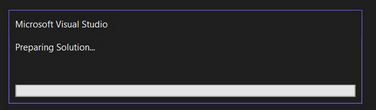
For a while, premake worked just fine. However, the 10 minute long boot up time, broken intellisense, and overengineered UI began to irk me. On top of that, I was trying to use linux as my main operating system, which removed Visual Studio from my diet entirely. And so, I had to find an alternative that would hopefully run from the command line so I could use VSCode or neovim as my development environment.
Still loading, 10 minutes in...
The CMake Saga
I then was introduced to CMake. CMake is known for having a little steep of a learning curve, which is fine. However, so many parts of it I just could not get behind.
My first red flag was that the install for it took forever (on windows lol). I'm someone who really values portability in their projects - I like switching between machines a LOT. To have such a hassle with
the install was something that I just irked me as I imagined the hassle of needing to install it on any machine that wanted to build my projects.
Then, I started not liking the tool itself. The syntax was at times very awkward and confusing (especially concerning strings). The CMakeLists and large amount of build files that were just shoved in my project just looked unclean and felt bloated. And then so many of the CMake methods just are buggy or don't work properly since they're depreciated, yet left in. As a new user, I had no idea that there were just a bunch of methods that existed but I shouldn't touch?? There are plenty of advantages and power behind CMake, especially since it's such a huge standard. However, I could not help but feel bad using it. I'm a bit of a purist when it comes to my personal projects after all - I use C because C is simple and elegant, so involving a build tool that felt so unnecessarily complex just grinded against me too much.

Then, I started not liking the tool itself. The syntax was at times very awkward and confusing (especially concerning strings). The CMakeLists and large amount of build files that were just shoved in my project just looked unclean and felt bloated. And then so many of the CMake methods just are buggy or don't work properly since they're depreciated, yet left in. As a new user, I had no idea that there were just a bunch of methods that existed but I shouldn't touch?? There are plenty of advantages and power behind CMake, especially since it's such a huge standard. However, I could not help but feel bad using it. I'm a bit of a purist when it comes to my personal projects after all - I use C because C is simple and elegant, so involving a build tool that felt so unnecessarily complex just grinded against me too much.
My current rabbit hole (credit: xkcd)
The Bazel Saga
And so, I switched to Bazel. Bazel is a good bit less well known, but it's a Google-developed build tool that supports multiple languages and compliments large projects quite well. Starting off,
I actually like Bazel quite a bit. Its configuration files seemed very intuitive to me, and it was fairly simple to get a quick project going. It also liked to eat up all my devices resources to
build as fast as possible, which seemed good at first because it made builds lightning fast. Installation was as simple as just using a single exectuable as well, so it didn't feel bad at all to
quickly install on any machine! For a long time, Bazel was my go to build tool.
However, all good things must end. Bazel would sometimes break on an update, putting a hitch in my workflows. It also required an internet connection for the first build, which really annoyed me when I discovered that on the beginning of an 18-hour flight. Then, for more complex builds, it would deny windows builds because the symlink paths were so absurdly long. Complexity quickly bred clumsiness, and it quickly felt bad to use again. And then the final nail in the coffin was the fact that documentation on it, well, sucks. It also isn't widely used in general communities, and is mostly only used in large companies. Together, this meant that the only ones who knew how to truly use this build tool were senior developers at these companies. And so, I switched again.
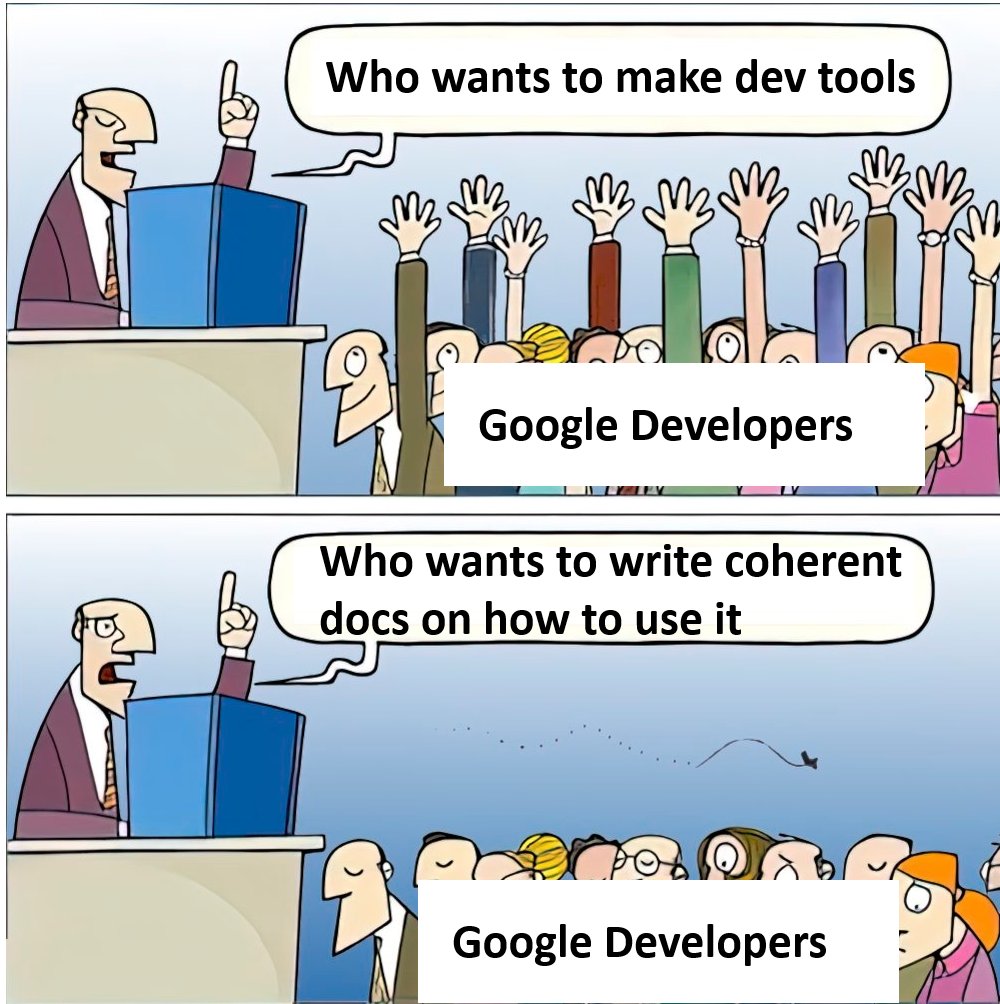
However, all good things must end. Bazel would sometimes break on an update, putting a hitch in my workflows. It also required an internet connection for the first build, which really annoyed me when I discovered that on the beginning of an 18-hour flight. Then, for more complex builds, it would deny windows builds because the symlink paths were so absurdly long. Complexity quickly bred clumsiness, and it quickly felt bad to use again. And then the final nail in the coffin was the fact that documentation on it, well, sucks. It also isn't widely used in general communities, and is mostly only used in large companies. Together, this meant that the only ones who knew how to truly use this build tool were senior developers at these companies. And so, I switched again.
Google, if you're seeing this, I'm joking. Please hire me.
The Bash/Batch Saga, Part 1
This was when I thought reject modernity, embrace tradition. How about I just do everything through bash/batch scripts? I'm very familiar with GCC, and I'd use it on all operating systems since
I have my own issues with MSVC. If I just use a build script, I can construct a single command that will invoke GCC to build my entire build script properly. After all, adding a -llibnamehere
flag to link a library to the GCC call is 10x easier than navigating a build tool's UI or complex configuration file for it to only probably work.
And so, that was what I used for a while. My script would grab all the sources and include directories, and then just call gcc with them. If I wanted some special build flags or libraries or linking done, then I would just shove that into the script. And even when my projects got to ~5000 lines of code, build times were still less than half a second despite it being a full cleanbuild. It was simple, elegant, bliss.
But alas, I got greedy. It was a dark and stormy night. I was working on my vulkan renderer. I called the build command. To my dismay, it took 3. whole. seconds. UNFORGIVEABLE!! I had to change. I had to implement... incremental builds.
And so, that was what I used for a while. My script would grab all the sources and include directories, and then just call gcc with them. If I wanted some special build flags or libraries or linking done, then I would just shove that into the script. And even when my projects got to ~5000 lines of code, build times were still less than half a second despite it being a full cleanbuild. It was simple, elegant, bliss.
But alas, I got greedy. It was a dark and stormy night. I was working on my vulkan renderer. I called the build command. To my dismay, it took 3. whole. seconds. UNFORGIVEABLE!! I had to change. I had to implement... incremental builds.
The Bash/Batch Saga, Part 2
To do incremental builds, I would have to make my build script far more complex. I would have to set up a build/ directory, keep a clone of the project in there, and then use it
to compare with the current project to detect changes. Then I could compile each source when a change was detected, effectively incrementally building the exectuable. This wasn't very hard to do, and worked well
for a good while!
Then, I realized that if a header changes, that doesn't mean all the necessary sources get recompiled. For example, if say source #1 includes header #1, then it will only get recompiled if header #1 changes. However, if header #1 includes header #2 and header #2 changes, that means header #1 changed and therefore source #1 should be recompiled. To do this, I would then need to create a dependency tree to track these dependencies. This is when I realized that the bash/batch scripting was starting to reach its limit. Not only was it not the most efficient, I was using all these roundabout ways of doing things such as file comparisons and file searches. Each time I found an issue, I would have to do it twice, one for my bash script and one for my batch script. It was starting to be a bit of a real pain in the ass to do things that are so simple. But wait... what's a language that is cross platform, and can be run natively on any device? C!!! And thus, tiny was born.
On a side note, it's pretty ironic that I hated the complexity of so many tools that I went to WINDOWS BATCH of all things. I mean really, I hated complexity so my solution was to start BATCH scripting?!? Talk about out of the frying pan and into the fire. I truly don't know how I didn't run away immediately. My brain works in mysterious ways...
Then, I realized that if a header changes, that doesn't mean all the necessary sources get recompiled. For example, if say source #1 includes header #1, then it will only get recompiled if header #1 changes. However, if header #1 includes header #2 and header #2 changes, that means header #1 changed and therefore source #1 should be recompiled. To do this, I would then need to create a dependency tree to track these dependencies. This is when I realized that the bash/batch scripting was starting to reach its limit. Not only was it not the most efficient, I was using all these roundabout ways of doing things such as file comparisons and file searches. Each time I found an issue, I would have to do it twice, one for my bash script and one for my batch script. It was starting to be a bit of a real pain in the ass to do things that are so simple. But wait... what's a language that is cross platform, and can be run natively on any device? C!!! And thus, tiny was born.
On a side note, it's pretty ironic that I hated the complexity of so many tools that I went to WINDOWS BATCH of all things. I mean really, I hated complexity so my solution was to start BATCH scripting?!? Talk about out of the frying pan and into the fire. I truly don't know how I didn't run away immediately. My brain works in mysterious ways...
The Birth of Tiny
Finally, I converted by bash/batch scripts into a singular C file, and compiled it into matching binaries for both windows and linux! I finally had my own, simple, elegant build tool. I still use build scripts
for my projects since I'm a devout believer in the clone repository -> run one build script -> profit sentiment, but now all they do is download the tiny exectuable into a build folder, and run it to build
the project!
How does it work?
Like most build systems, tiny has a config file, aptly named .tinyconf.
In this file you can specify basic and critical things such as:
- Project directory
- Entrypoint file (where main.c is located)
- Include directories
- Library linkages
- Library path locations
- External source files
Features and Future Plans
Tiny has several features to accomodate general purpose building!
- Incremental building
- Whenever a change is made, only the parts that HAVE to be recompiled will be recompiled
- Codebase audit
- You can pass an audit flag to have tiny check for messy or unsafe code such as:
- Redundant headers
- Excessive whitespace
- Missing or incorrect header guards
- Unmonitored memory allocations
- Unimplemented functions
- And more!
- You can pass an audit flag to have tiny check for messy or unsafe code such as:
- Configuration file
- Since you can't just inject links and libraries into the build script like before, you can now define links and libraries in a configuration file to pass in these to the build
- Project distinction
- You can define a project directory explicitly in the config for tiny to monitor file changes after and build from
- Entrypoint distinction
- You can define your entrypoint file (where main.c is located) in the config so you can have multiple entrypoints in a separate location and choose when needed
- Vendor distinction
- You can define external include directories and sources that will be compiled into a single vendor once and not be monitored
- Operating system exclusivity
- You can preface configuration lines with a desired operating system to have it only happen when building on that respective operating system, allowing for easy cross-platform build configs